Sending statements to customers' e-mail addresses
When you have defined the SMTP host name for your e-mail system and configured the necessary customer settings, the E-mail button will appear on the Statements report parameter window (Customers > Reports > Statements).
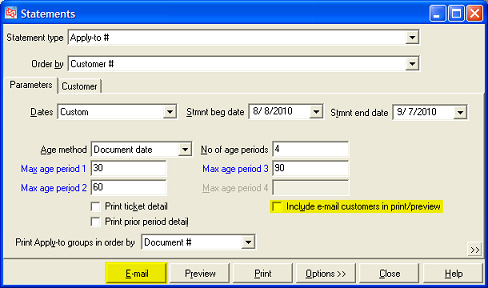
Click this button to send statements to A/R customers for whom you have selected the Allow e-mail statements check box on the A/R info tab of the Customers window (Customers > Customers). Each statement is sent to the primary e-mail address (i.e., Email 1) that is on file for each customer.
 You cannot send an A/R statement to a different e-mail address than the one that is on file for each customer.
When you print or preview statements for A/R customers, you can include customers to whom you send statements via e-mail by selecting the Include e-mail customers in print/preview check box. If you do not select this check box, statements will not be printed for customers for whom the Allow e-mail statements check box is selected.