Radiant receipts: Receipt Editor
Data tree
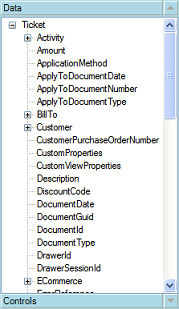 The Data tree area of the Receipt Editor window lists the fields that you can add to a Point of Sale form.
Each field corresponds to a column in the Counterpoint database, allowing you to include just about any ticket-related value on your Point of Sale forms.
If the Data tree is not visible, click the  button to expand it, collapsing the Controls list.
To expand a field category (e.g., Customer), click the corresponding  icon in the Data tree.
To place a field on a Point of Sale form, simply drag the field from the Data tree to an empty square (i.e., the intersection between a column and a row) on the Designer tab.
When you add a field to a Point of Sale form, the empty square you drag it to becomes the field's left-most edge and the field is sized to fit in the available space automatically. You can resize the field by dragging its sizing handles or move it by dragging the field to a new position.