Device Management:
Configuring store and workstation settings
Before you can use the Device Management window to configure Point of Sale devices for your workstations, you must clear the  Use Legacy Device Framework check box on the Main tab of the Stores window (Setup > Point of Sale > Stores) for each of your stores.
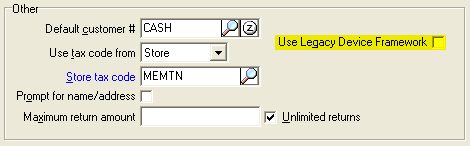
 If you are updating to NCR Counterpoint V8.4.0 from an previous version, the Use Legacy Device Framework check box will be selected by default for your stores when you complete the update process.
In addition, each workstation for which you want to configure Point of Sale devices must be registered with your company and must be assigned to a default workgroup.
Use the Workstations window (Setup > System > Workstations) to specify the Site server,Machine name, Description, and Default workgroup for each of your workstations.
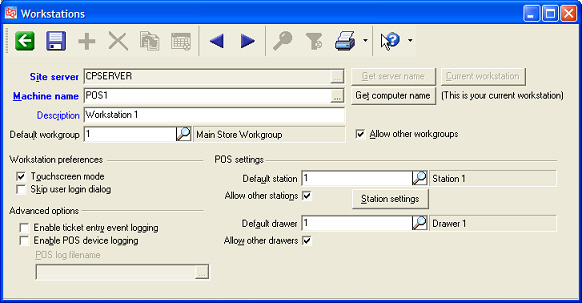
Alternatively, you can use the Workstations tab of the NCR Counterpoint Management Console to register your workstations. Follow the steps outlined in the Workstation registration: Registering workstations topic in the NCR Counterpoint online help to register workstations for your company and assign them to the appropriate default workgroups.